

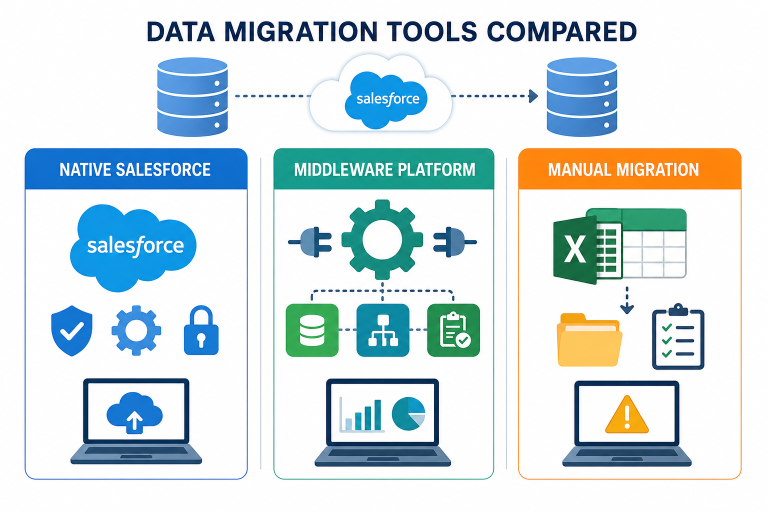
Data migration from Salesforce is no longer merely a one-time technical undertaking. Larger datasets, intricate object interactions, Revenue Cloud settings, and several Salesforce organisations are all challenges faced by businesses today. Inaccurate reporting, malfunctioning automation, and security threats might result from selecting the incorrect migration strategy.
For most teams, the most important question is:
Is it better to use a middleware platform, a native Salesforce migration solution, or a manual conversion technique?
Every strategy has advantages and disadvantages. To assist you choose which option is appropriate for various migration scenarios in 2026, this guide evaluates all three.
Why Choosing the Right Migration Method Matters
A migration is not successful just because the data moved. The real goal is to ensure that:
- Relationships between records stay intact
- Automation continues to work
- Data remains secure
- Users can operate without disruption
- Reporting stays accurate
This becomes even more important in org-to-org Salesforce migrations where custom objects, and multiple dependencies are involved.
1. Native Salesforce Migration Tools
Native migration tools are built directly on Salesforce and operate within the Salesforce ecosystem.
These tools are specifically designed for Salesforce-to-Salesforce data movement.
How Native Migration Works
A native tool connects directly between Salesforce orgs and transfers data while preserving structure and relationships.
Instead of exporting files or routing data through external servers, the migration happens within Salesforce environments.
Advantages of Native Migration Tools
Better Security
Since data remains inside Salesforce, there is lower exposure risk during migration.
Preserves Relationships
Native tools understand Salesforce architecture, including:
- Lookup relationships
- Master-detail relationships
- Custom objects
- Managed package objects
- Recursive hierarchies
- Self-lookup relationships
Reduced Manual Work
There is less dependency on spreadsheets, scripts, or multiple tools.
Better for Complex Migrations
Native solutions are ideal for:
- Org-to-org migration
- Revenue Cloud migration
- Sandbox seeding
- Large Salesforce environments
Limitations of Native Tools
- Mostly focused on Salesforce ecosystems
- May not be suitable for non-Salesforce integrations
Example of Native Migration
iSyncSF and other similar solutions are made especially for Salesforce org-to-org transfer. iSyncSF maintains object links and dependencies while enabling structured and safe data transfer because it is totally native to Salesforce.
This method greatly lowers the complexity of migrating for companies that rely heavily on Salesforce infrastructure.
2. Middleware-Based Migration Tools
Middleware tools act as intermediaries between systems. They extract data from one platform, transform it, and load it into another.
These platforms are commonly used when multiple systems are involved.
How Middleware Migration Works
The middleware platform sits between the source and target systems.
Typical process:
- Extract data
- Transform formats or structures
- Load into destination system
Examples include ETL and integration platforms.
Advantages of Middleware Tools
Supports Multiple Platforms
Useful when migrating data across different CRMs or enterprise systems.
Flexible Transformation Capabilities
Can handle advanced transformations and workflows.
Integration Friendly
Good for ongoing synchronization between systems.
Limitations of Middleware Tools
While middleware platforms are powerful, they often introduce challenges for Salesforce specific migrations.
Common issues include:
- Limited understanding of Salesforce relationships
- Higher dependency on technical resources
- External handling of sensitive data
- Complex setup and maintenance
For org-to-org Salesforce migrations, middleware may add unnecessary complexity.
3. Manual Migration Methods
Manual migration usually involves exporting and importing CSV files using tools like Data Loader or spreadsheets.
This is still common in smaller projects.
How Manual Migration Works
Typical workflow:
- Export records into CSV files
- Clean or modify data manually
- Import data into Salesforce
Advantages of Manual Migration
Low Initial Cost
No major software investment required.
Useful for Small Datasets
Can work for simple and limited migrations.
Simple for Basic Tasks
Useful for one-time updates or corrections.
Limitations of Manual Migration
Manual migration becomes risky as complexity grows.
Common challenges include:
- Difficult handling of dependencies
- Lack of visibility and tracking
- Time-consuming validation process
- Security risks from file sharing
- High chances of human error
- Broken object relationships
For large-scale or Revenue Cloud migrations, manual methods are rarely reliable.
Native vs Middleware vs Manual
| Factor | Native Tools | Middleware Tools | Manual Methods |
| Salesforce Relationship Handling | Strong | Moderate | Weak |
| Security | High | Moderate | Low |
| Complexity Handling | High | High | Low |
| External Data Exposure | Minimal | Moderate | High |
| Scalability | High | High | Limited |
| Setup Complexity | Moderate | High | Low |
| Best Use Case | Salesforce org-to-org migration | Multi-system integration | Small simple migrations |
Which Option Is Best in 2026?
The best option depends on your migration goals.
Native Tools Are Best When:
- Migrating between Salesforce orgs
- Preserving relationships is critical
- Security is a priority
- Working with Revenue Cloud or CPQ and any other complex apps
Middleware Is Best When:
- Multiple enterprise systems are involved
- Data transformation requirements are extensive
- Continuous integration is needed
Manual Migration Is Best When:
- Dataset is very small
- Migration is temporary or simple
- Relationships are minimal
Why More Businesses Are Moving Toward Native Salesforce Migration
Businesses are placing a higher priority on security, dependability, and maintaining relationships as Salesforce settings get more complicated.
For this reason, local methods are growing in popularity in 2026.
By working directly within Salesforce, tools like iSyncSF make org-to-org conversion easier.
iSyncSF offers a better organised migration procedure that preserves data integrity and visibility rather than depending on external processing or manual file handling.
Best Practices Regardless of the Tool You Choose
No matter which migration method you use, certain practices remain essential:
- Always test in a sandbox first
- Validate object relationships carefully
- Clean data before migration
- Keep backup and rollback plans ready
- Monitor migration logs and errors
These steps help reduce migration risks significantly.
Final Thoughts
Choosing the right Salesforce migration method can directly impact data quality, security, and long-term system stability.
While manual and middleware approaches still have their place, native Salesforce migration tools are becoming the preferred choice for complex org-to-org migrations in 2026.
Planning a Salesforce Org-to-Org Migration?
If your migration involves complex relationships, Revenue Cloud data, or large Salesforce environments, a native approach can help reduce risk and simplify execution.
Solutions like iSyncSF provide a more structured and secure way to move data between Salesforce orgs while maintaining integrity and visibility throughout the process.
Frequently Asked Questions
What is the safest Salesforce migration method?
Native Salesforce migration tools are generally considered the safest because data remains within the Salesforce ecosystem.
Are manual CSV migrations still useful?
Yes, but mainly for small and simple datasets with limited relationships.
Why are Salesforce relationships important during migration?
Relationships control reporting, automation, workflows, and data visibility. Broken relationships can disrupt business processes.
Can middleware tools handle Salesforce migration?
Yes, but they are usually better suited for multi-system integrations rather than Salesforce-only migrations.
What makes native migration tools different?
Native tools are built directly on Salesforce and understand Salesforce architecture more deeply. Since they operate within the Salesforce ecosystem, your data never leaves Salesforce during the migration process, helping maintain better security and control.