

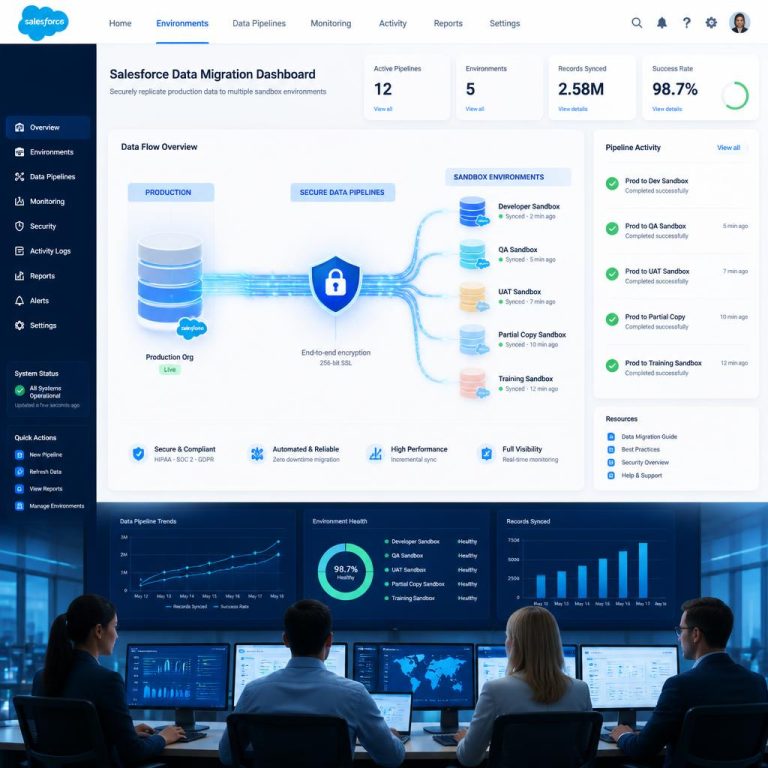
Sandbox environments for Salesforce are crucial for training, development, testing, and validation. However, a sandbox is only beneficial when it replicates actual business situations. Testing findings become untrustworthy if the data in the sandbox is erroneous, out-of-date, or incomplete.
For Salesforce teams, migrating sandbox data and seeding with production-like data has become essential.
This tutorial will explain what sandbox seeding is, why it’s important, the typical problems it presents, and how companies may manage it more successfully.
What Is Salesforce Sandbox Data Migration?
Moving specific production data into a Salesforce sandbox environment for testing and development is known as “sandbox data migration.”
Copying everything at face value is not the aim. Rather, the goal is to establish a sandbox environment that resembles production as much as feasible.
This helps teams:
- Test automation and workflows accurately
- Validate new features safely
- Simulate real business scenarios
- Improve development quality
- Reduce production deployment risks
Without realistic data, sandbox testing often becomes incomplete.
What Does “Production-Like Data” Mean?
Production-like data refers to sandbox data that closely resembles the structure, relationships, and behavior of live production environments.
This includes:
- Realistic object relationships
- Representative data volumes
- Connected transactional records
- Accurate business process flows
The focus is not just on copying records, but on preserving how the data behaves within Salesforce.
Why Sandbox Seeding Is Important
Many Salesforce teams work with empty or partially populated sandboxes. While this may seem sufficient initially, it creates problems later during testing and deployment.
Using production-like data helps:
Improve Testing Accuracy
Automation, validation rules, flows, and integrations behave more realistically when actual business-like data is available.
Reduce Deployment Risks
Issues are identified earlier because testing conditions closely match production.
Validate Complex Relationships
Sandbox seeding helps ensure that lookup fields, hierarchies, and dependencies function properly.
Improve User Acceptance Testing
Business users can test workflows using familiar and realistic datasets.
Support Revenue Cloud and CPQ Testing
Complex pricing and transactional structures require representative data to validate correctly.
Common Challenges in Sandbox Data Migration
Although sandbox seeding sounds straightforward, it becomes difficult in real-world Salesforce environments.
1. Maintaining Relationships
Salesforce data is interconnected. Moving partial data often breaks dependencies between objects.
2. Handling Large Data Volumes
Enterprise orgs may contain millions of records, making selective migration difficult.
3. Data Privacy Concerns
Production data may contain sensitive customer or financial information that should not be fully exposed in sandboxes.
4. Manual Data Preparation
Using CSV exports and imports requires heavy manual effort and increases the chance of errors.
5. Keeping Sandboxes Updated
As production data changes, sandboxes quickly become outdated.
What Data Should Be Seeded Into a Sandbox?
The answer depends on the use case.
For development and testing, businesses commonly migrate:
- Accounts and contacts
- Opportunities and quotes
- Products and price books
- CPQ and Revenue Cloud data
- Custom objects and dependencies
- Contracts and subscriptions
The key is selecting enough data to support realistic testing without unnecessarily overloading the sandbox.
Full Sandbox vs Partial Sandbox vs Seeded Sandbox
Full Sandbox
A full sandbox copies almost the entire production environment, including data and metadata.
Best for:
- Performance testing
- Large-scale QA
- Enterprise validation
Limitation:
- Expensive and resource-heavy
Partial Sandbox
A partial sandbox includes limited production data based on templates.
Best for:
- Moderate testing requirements
- Smaller development teams
Limitation:
- Often lacks complete relationships and realistic datasets
Seeded Sandbox
A seeded sandbox selectively migrates production-like data in a structured way.
Best for:
- Targeted testing
- CPQ and Revenue Cloud validation
- Development with realistic scenarios
This approach provides better flexibility and efficiency.
Why Manual Sandbox Seeding Becomes Difficult
Many teams still rely on spreadsheets and manual exports for sandbox preparation.
This creates several issues:
- Broken relationships between objects
- Missing dependencies
- Large manual effort
- Poor scalability
- Increased security risks
As Salesforce environments become more complex, manual seeding becomes increasingly unreliable.
How iSyncSF Helps with Sandbox Data Migration
iSyncSF helps simplify Salesforce sandbox data migration by enabling structured org-to-org data transfer within Salesforce.
Because it is fully native to Salesforce, it helps maintain relationships and dependencies more effectively during sandbox seeding.
With iSyncSF, teams can:
- Transfer production-like data directly into sandbox environments
- Preserve relationships between records
- Handle large and complex datasets
- Reduce dependency on manual CSV-based processes
- Improve visibility into migration progress
This helps create more reliable and realistic sandbox environments for testing and development.
Why Native Salesforce Migration Matters for Sandbox Seeding
A native approach becomes especially important during sandbox migration because data integrity matters more than raw record transfer.
Since native tools operate within Salesforce:
- Data stays inside the Salesforce ecosystem
- Object structures are better understood
- Relationship handling improves
- External data exposure is minimized
This helps reduce migration risk significantly.
Best Practices for Sandbox Data Migration
To improve sandbox seeding outcomes:
Start With Clear Objectives
Define whether the sandbox is meant for development, testing, training, or QA.
Seed Relevant Data Only
Avoid unnecessary data migration that increases complexity.
Validate Relationships Carefully
Ensure dependencies and hierarchies remain intact.
Mask Sensitive Information
Protect customer and financial data wherever required.
Test Before Wider Use
Validate workflows, automation, and reporting after seeding.
Frequently Asked Questions
What is sandbox seeding in Salesforce?
Sandbox seeding is the process of populating a Salesforce sandbox with production-like data for testing and development.
Why is production-like data important?
It helps simulate real business conditions, improving testing accuracy and reducing deployment risks.
Can sandbox seeding break relationships?
Yes, especially when handled manually or with incomplete migration methods.
Is a full sandbox always the best option?
Not necessarily. Seeded sandboxes often provide better flexibility and efficiency for targeted testing.
How does iSyncSF help with sandbox migration?
iSyncSF enables structured Salesforce org-to-org data transfer while maintaining relationships and reducing manual effort.
Final Thoughts
A sandbox environment is only valuable if it reflects real-world business scenarios. Poor or incomplete data leads to inaccurate testing and higher production risks.
This is why sandbox seeding with production-like data has become a critical part of Salesforce development and testing strategies.
Ready to Build More Reliable Salesforce Sandboxes?
If your team is struggling with manual sandbox preparation or broken test environments, a structured migration approach can make a major difference.
Using a Salesforce-native solution like iSyncSF helps you create realistic sandbox environments while maintaining data structure, accuracy, and control.