

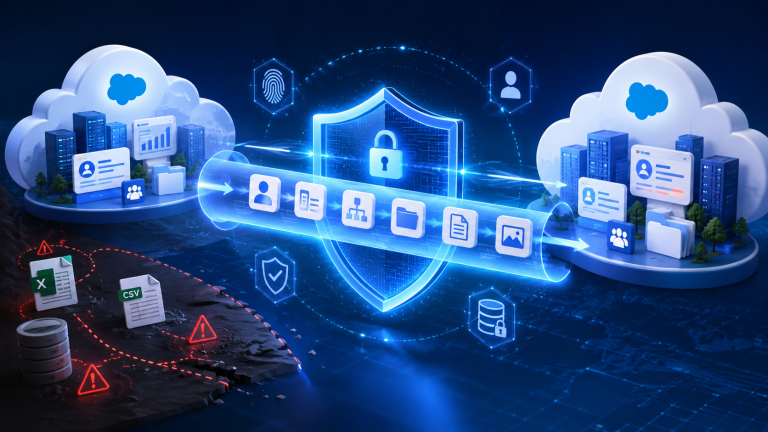
Why Salesforce-Native Migration Is the Only Secure Way to Move Your Data
Moving records is only one aspect of data migration in Salesforce. It involves maintaining order, safeguarding private data, and making sure that everything keeps functioning as it should following the relocation.
To move data between Salesforce Orgs, many teams still use spreadsheets, exporters, or general tools. Although these techniques might be effective for minor jobs, they frequently pose significant hazards when applied to large-scale migrations.
The concept of Salesforce-native data migration becomes crucial at this point. What does Native really mean, though, and why is it so important for security?
What Does “Salesforce-Native” Really Mean?
A solution that is developed directly on the Salesforce platform and functions inside its ecosystem is known as a Salesforce-native solution.
In other words, the application
Use Salesforce’s proprietary architecture and APIs
Operates within Salesforce without requiring external data management.
Respects current relationships, permissions, and data models
Doesn’t depend on file transfers or third-party storage
To put it simply, a native solution integrates with Salesforce rather than operating independently of it.
Why Traditional Migration Methods Are Risky
It is helpful to recognise the shortcomings of conventional methods before comprehending why native is superior.
Many companies continue to use:
CSV imports and exports
ETL tools from other parties that aren’t made for Salesforce
Partial automation or manual scripts
Third-party applications that store and process data on external servers
These techniques present a number of risks:
When files are sent, data is exposed.
Relationships between documents are frequently lost.
Manual handling leads to errors.
Restricted access to the migrated content
Large and complicated datasets are challenging to manage.
These problems may not always be apparent right away, but they frequently manifest later as missing data, inaccurate automation, or broken reporting.
This is where a native solution like iSyncSF makes a difference. Instead of relying on external tools or manual processes, it enables structured and secure data transfer directly within Salesforce, reducing these risks significantly.
Why Salesforce-Native Migration Is More Secure
By keeping the entire process inside the Salesforce environment, a Salesforce-native strategy lowers these risks
No External Data Exposure
There is no need to download or distribute files elsewhere because the data transmission takes place within Salesforce. This lowers the possibility of data leaks considerably.
Built on Salesforce Security Model
Salesforce’s integrated security is respected by native technologies, such as:
Permissions and roles for users
Security at the field level
Sharing guidelines
This guarantees that private information is safeguarded during the transfer
Maintains Data Relationships Automatically
Salesforce data is interconnected. Native solutions understand this structure and ensure that relationships between records are preserved.
This includes:
Parent-child bonds
Master-detail and lookup fields
Personalised object connections
Hierarchies and other recursive relationships
Supporting reference fields stored as text and resolving them to the correct parent relationships
Structured and Controlled Data Movement
Native migration follows a structured process rather than manual steps.
This ensures:
Consistent data transfer
Reduced chances of partial or failed migrations
Better handling of dependencies between objects
Better Visibility and Tracking
Native tools provide clear logs and tracking of migration activities.
You can:
Monitor progress in real time
Identify failed records
Review detailed logs
This level of visibility is difficult to achieve with manual methods.
Scalable for Large Data Volumes
As your data grows, migration becomes more complex. Native solutions are designed to handle large datasets efficiently without breaking structure or performance.
What Happens When You Don’t Use a Native Approach
Skipping a native solution may seem easier in the short term, but it often creates long-term problems.
Common outcomes include:
Broken automation and workflows
Missing or duplicated records
Incorrect reporting and dashboards
Increased manual effort to fix errors
Security risks due to exposed data
In many cases, teams end up spending more time fixing issues than they would have spent doing the migration correctly.
When Do You Need Salesforce-Native Migration?
A native approach becomes essential in scenarios like:
Salesforce Org-to-Org migration
Sandbox seeding with real data
Merging multiple Salesforce environments
CPQ or complex data structure migration
Large-scale data transfers
In these cases, maintaining structure and security is critical.
How iSyncSF Fits Into This Approach
iSyncSF is a fully native Salesforce application built specifically for moving data from one Salesforce org to another. Since it operates entirely within Salesforce, your data never leaves the Salesforce environment, which adds an extra layer of security and control.
Since it functions inside Salesforce, it:
Transfers information directly between organisations
Keeps connections and dependencies intact
Manages big, complicated datasets
Gives a detailed picture of the course of migration
It provides an organised and safe method of transferring data within Salesforce rather than depending on manual procedures or outside tools.
Key Advantages of Going Native
To summarize, a Salesforce-native migration approach gives you:
Higher data security
Accurate relationship preservation
Reduced manual effort
Better visibility and control
Reliable performance for large datasets
These benefits make a strong case for choosing native over generic methods.
Final Thoughts
Moving records from one location to another is only one aspect of Salesforce data transfer. It is about making sure your system keeps operating correctly, safely, and effectively.
Many of the hazards associated with traditional procedures are eliminated with a Salesforce-native approach. It gives you greater control over the entire process, preserves structure, and protects your data.
Ready to Migrate Without the Usual Risks?
Most migration issues come from broken relationships, data loss, or manual processes.
iSyncSF helps you handle Salesforce org-to-org migration in a structured and secure way, ensuring your data stays consistent and within Salesforce.
Start planning your migration with iSyncSF.
Frequently Asked Questions
What does Salesforce-native mean in simple terms?
It means the tool is built on Salesforce and works within its environment without relying on external systems.
Is native migration always more secure?
Yes, because it avoids external data handling and follows Salesforce’s built-in security framework.
Can I still use CSV files for migration?
CSV files can work for small, simple datasets, but they are not suitable for complex or large-scale migrations.
Does native migration handle custom objects?
Yes, native tools are designed to work with both standard and custom Salesforce objects.
Is Salesforce-native migration faster?
In most cases, yes. It reduces manual steps and handles data in a structured way, which improves efficiency.